

The lights violently flicker, the house goes dark, and a severe storm rolls through your neighborhood. Eventually, the electricity comes back online. You expect your kitchen appliances to roar back to life. However, your expensive fridge remains completely silent. You desperately need to know how to reset refrigerator after power outage events before your groceries spoil.
Modern refrigerators no longer rely on simple mechanical dials. Instead, they operate as highly complex computers. A sudden neighborhood power surge easily confuses the main electronic control board. Consequently, the system locks up to protect itself from electrical damage. The fridge might display confusing error codes, beep incessantly, or simply refuse to turn the compressor on.
Fortunately, you do not need to panic or call a repair technician immediately. In fact, a proper “hard reset” solves this problem almost 90% of the time. In this comprehensive master guide, we will walk you through the exact professional procedure to reboot your appliance safely. You will learn the science behind compressor pressure, how to clear corrupted computer memory, and how to rescue your food.
💡 Mentor’s Diagnostic Hub
Power outages frequently mask deeper electrical component failures. This reset guide serves as a crucial first step in our comprehensive master series on diagnosing sudden power failures, dead control boards, and compressor lock-ups.
Step 1: Unplug the Refrigerator Completely
You might feel tempted to simply push buttons on the digital display panel. However, this rarely works. A true reset requires completely removing all electrical current from the machine. You must manually unplug the thick power cord directly from the wall outlet.
The Danger of Residual Power
You cannot simply turn the fridge off using the interior power button. Specifically, modern appliances contain large cylindrical capacitors on the main control board. These capacitors actively store backup electricity. Therefore, even if the digital screen goes dark, the motherboard still retains its corrupted memory cache. Unplugging the cord physically severs the connection to the city power grid.
Safety Precautions During Disconnection
First, gently pull the heavy refrigerator away from the wall. Next, grasp the thick plug firmly by the solid plastic base. Never yank the cord itself. Yanking the wire easily damages the internal copper strands. Consequently, this creates a dangerous fire hazard. If you must temporarily move the fridge to a different circuit during an outage, always use a proper Heavy-Duty Appliance Extension Cord. Standard household cords easily melt and start fires. If you cannot physically reach the wall outlet behind the fridge, go directly to your home’s main electrical panel. Finally, find the specific breaker switch labeled “Kitchen” and firmly flip it to the OFF position.
Step 2: The Mandatory Waiting Period (Do Not Skip)
Patience remains the absolute most critical element of this entire process. You must leave the refrigerator completely unplugged for at least 10 to 15 minutes. Ideally, wait a full 30 minutes if you have the time.
Clearing the Digital Memory Cache
First, the extended waiting period allows the electronic capacitors to bleed off their stored voltage. The computer motherboard needs time to completely drain its memory banks. Once the power drains, the glitch or error code permanently erases itself from the volatile memory.
Equalizing the Freon Pressure
More importantly, you must understand the mechanical physics of the sealed cooling system. The heavy black compressor acts as a powerful pump. It aggressively squeezes the chemical Freon gas into a highly pressurized liquid. When a power outage instantly shuts the compressor off, that massive chemical pressure remains trapped inside the thin copper tubes.
If the electricity flickers back on three seconds later, the compressor attempts to start against a literal wall of high-pressure liquid. As a result, the motor physically stalls. It draws a lethal amount of amperage and overheats instantly. Therefore, waiting 15 minutes allows the trapped Freon liquid to naturally boil back into a gas. The internal pressure equalizes perfectly. Subsequently, the compressor can start up smoothly without destroying itself.
Step 3: Check the Internal Temperature Settings
After the mandatory waiting period ends, you can safely restore the power. However, before you assume everything works perfectly, you must closely inspect the digital thermostat settings. Power surges frequently scramble the computer’s logic.
Beware of “Demo Mode” or “Showroom Mode”
When you plug the appliance back in, the motherboard might reboot incorrectly. Frequently, high-end refrigerators (like Samsung or LG) accidentally enter “Showroom Mode” after a violent storm. In this specific mode, the interior LED lights blaze brightly, and the digital display looks perfectly normal. However, the cooling system completely shuts off to save energy on a retail store floor.
Verifying the Correct Temperatures
First, locate the digital temperature control panel on the door or inside the upper lip of the fridge. Next, verify the numbers. The fresh food compartment must read between 35°F and 37°F. Meanwhile, the freezer compartment should read precisely 0°F. If the digital display is broken, do not guess the temperature. Therefore, always verify the actual interior climate using an independent Refrigerator/Freezer Thermometer. This inexpensive tool guarantees your food remains safe. Ultimately, you must lock these settings in before closing the doors.
Step 4: Plug the Refrigerator Back In (The Boot Sequence)
You have waited the proper amount of time and verified the thermostat. Now, firmly reconnect the heavy plug into the wall outlet. Alternatively, flip the main circuit breaker back to the ON position. You must now actively listen to the appliance as it begins its complex boot sequence.
Listening for the Control Board Relays
Initially, you should hear a distinct, sharp “click” originating from the back of the fridge. This clear sound is the main control board relays engaging. Essentially, the computer is successfully sending high-voltage electricity to the mechanical components.
Monitoring the Compressor and Fans
Next, a few seconds after the click, you should hear the low, steady hum of the heavy compressor motor starting up. Additionally, you will hear the condenser fan spinning rapidly near the floor. Open the freezer door quickly. You should distinctly feel cold air blowing from the back wall vents. If you hear a loud clicking noise every three minutes, but the compressor never hums, the power surge destroyed your PTC start relay. Consequently, you will need to replace that specific electrical part. You can easily fix this using a Universal PTC Start Relay Kit to safely kickstart the motor.
Step 5: Allow Ample Time to Stabilize
Your refrigerator is finally running again. However, your diagnostic job is not completely finished. After an extended power outage, the heavily insulated interior cabin likely warmed up significantly. The appliance now requires several hours to remove that ambient heat.
The Thermodynamics of Cooling
A refrigerator does not instantly create cold air. Instead, it slowly absorbs heat from the interior and physically exhausts it into your kitchen. If your fridge sat without power for six hours, the internal plastic walls, the glass shelves, and the heavy liquid gallons of milk absorbed massive amounts of heat. Therefore, the compressor must run continuously at maximum speed for up to 24 hours to deeply chill those solid objects back down to 37°F.
The “Closed Door” Policy
Crucially, you must avoid opening the refrigerator doors during this critical stabilization period. Every single time you swing the heavy door open, you instantly dump all the expensive, heavy cold air onto your kitchen floor. Simultaneously, you suck warm, humid room air back into the cabin. As a result, you force the compressor to completely restart its arduous cooling cycle. Leave the doors firmly shut for at least four straight hours.
Step 6: Test the Ice Maker and Water Dispensers
Modern refrigerators feature complex plumbing systems directly integrated with their electronics. A severe power outage routinely disrupts these highly sensitive water features. You must actively test them to ensure full functionality.
Resetting the Ice Maker Motor
The ice maker relies on a motorized harvest arm. If the power dies mid-cycle, the mechanical arm freezes in the wrong position. To fix this, locate the specific ice maker module inside the freezer. Next, look for a small reset button (often hidden under the bottom lip or on the side panel). Press and hold this tiny button for five seconds until you hear a chime or see the arm manually rotate. Finally, throw away the first batch of new ice, as it often tastes stale.
Flushing the Water Lines
During a long outage, the water sitting completely stagnant inside the plastic reservoir coils warms up to room temperature. Consequently, this warm water absorbs harsh plastic odors from the tubing. Therefore, you must press a large cup against the water dispenser paddle. Flush at least one full gallon of water through the system and pour it down the sink. This crucial action purges the stale water and forces the electronic inlet valve to cycle properly.
Step 7: Inspect for Persistent Error Codes
You successfully performed the hard reset. However, the digital display might still flash an annoying error code. Manufacturers design these specific codes to alert you to a permanent hardware failure that a simple reboot cannot fix.
Common Power Surge Error Codes
Different brands utilize different fault languages. For example, LG refrigerators often display an “E FF” or “SY CF” code after a storm. This specifically indicates a total communication failure between the main circuit board and the fan motors. Similarly, Samsung models might simply flash the temperature numbers on the screen repeatedly.
Testing with a Multimeter
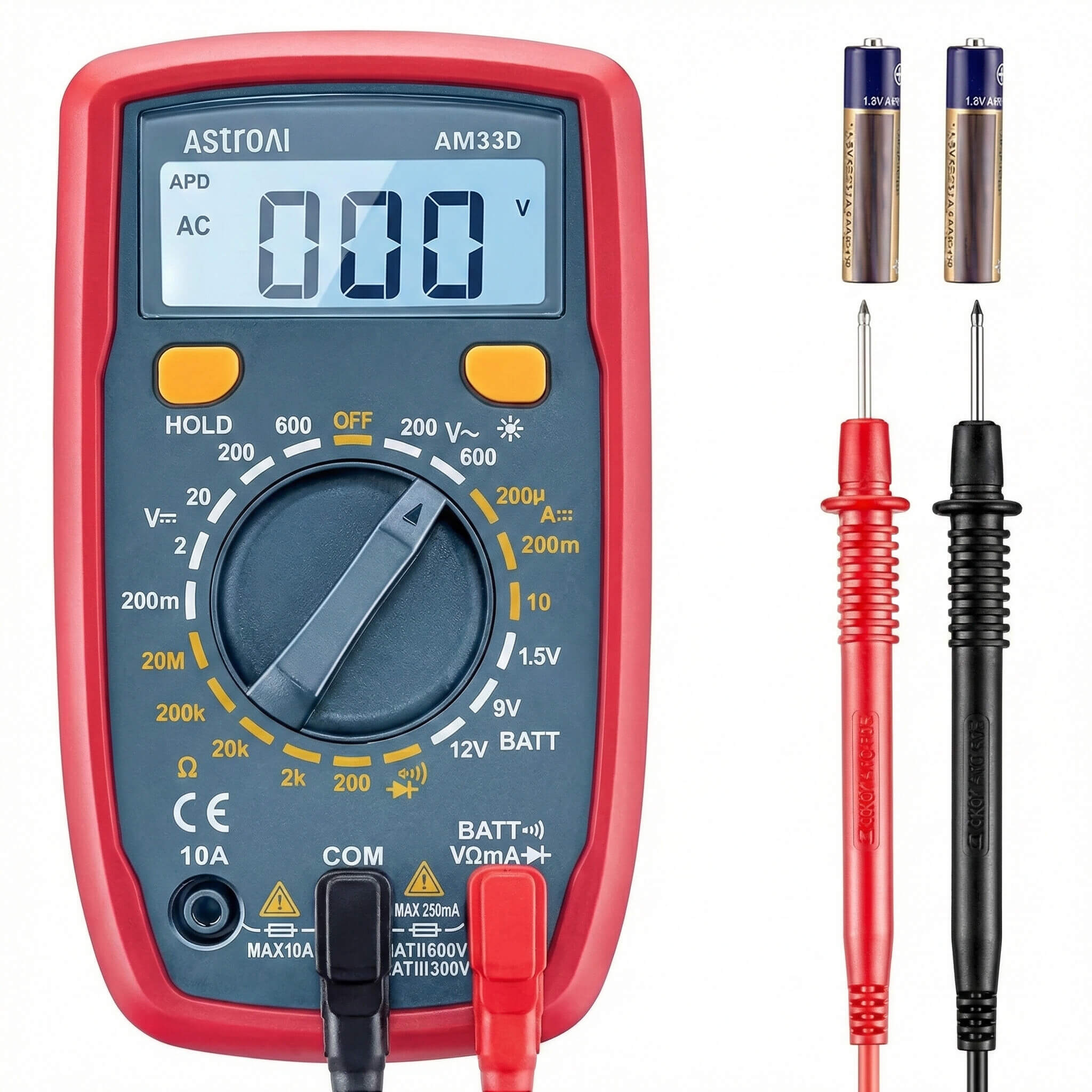
If the error code persists after the 15-minute unplug procedure, a delicate microchip likely burned out. Therefore, you must test the control board’s internal fuse and thermistors. You can do this safely using a reliable Digital Multimeter. Set the meter to continuity mode. If the small glass fuse on the motherboard lacks continuity, you must replace the entire board. You cannot reset a physically destroyed component.
Step 8: Implement Appliance Surge Protection
You just spent a highly stressful afternoon trying to successfully reset refrigerator after power outage events. You undoubtedly want to prevent this from ever happening again. The absolute best defense is proactive electrical protection.
The Danger of Grid Fluctuations
When the city power grid fails, the electricity does not simply turn off cleanly. Instead, it wildly fluctuates, spiking and dipping erratically before finally dying. When the power company restores the grid, a massive wave of high voltage slams into your house. This exact returning wave destroys delicate microchips inside modern appliances.
Installing a Single-Outlet Protector
You protect your expensive television and computer with a surge strip. You must do the exact same thing for your kitchen appliances. Therefore, purchase a high-quality Single-Outlet Appliance Surge Protector. Plug this specific device directly into the wall, and then plug the fridge into the protector. This inexpensive device acts as a sacrificial lamb. It actively absorbs the lethal lightning strike so your expensive control board survives the storm.
Frequently Asked Questions (FAQ)
How long should I leave the refrigerator unplugged to reset the control board?
Why is my refrigerator clicking every few minutes after the power came back on?
Is the food inside my fridge still safe to eat after a long power outage?
Can I simply flip the circuit breaker instead of pulling the heavy fridge out?
Why did my digital display go completely blank after the severe storm?
Conclusion: Restoring Your Kitchen’s Heartbeat
In conclusion, successfully learning how to reset refrigerator after power outage events requires patience and logic. You must never assume the heavy appliance is permanently broken immediately after a harsh storm. Instead, rely on the exact systematic process that certified technicians use in the field.
Your Post-Outage Action Plan:
- Unplug Completely: Physically remove the cord or flip the main breaker to sever the power.
- Wait Patiently: Give the system 15 minutes to equalize chemical pressure and clear corrupted memory.
- Check the Settings: Ensure the digital thermostat didn’t accidentally revert to showroom mode.
- Test the Ice Maker: Manually flush the stale water lines and cycle the harvest arm.
Ultimately, by following these simple electrical reset steps, you can confidently clear confusing error codes and prevent your delicate compressor from stalling. You will restore your kitchen’s heartbeat quickly, save hundreds of dollars on unnecessary repair bills, and safely rescue your family’s expensive groceries.