
Finding your refrigerator not cooling after a power outage is a very specific kind of homeowner stress. The severe storm has finally passed, the neighborhood grid is restored, and the kitchen lights are back on. But when you open the fridge door to grab a drink, the interior feels unnervingly warm and your expensive ice cream is completely soft.
You just survived the blackout, and now the panic sets in: did a power surge just fry an expensive, $2,000 kitchen appliance? Do not call a repair technician just yet.
In the vast majority of cases (roughly 80%), your refrigerator is not physically broken. It is simply digitally “confused.”
Modern residential refrigerators are no longer just dumb mechanical pumps; they are highly complex computers. A sudden, violent power surge or an unexpected grid drop can scramble their sensitive electronic control boards, accidentally trigger a factory safety “lockout” mode, or trip a hidden internal breaker. This comprehensive guide will walk you through exactly how to diagnose and fix a refrigerator not cooling after power outage issue, including the highly guarded “secret” button combinations needed to unlock major brands like Samsung, GE, LG, and Whirlpool.
💡 Mentor’s Diagnostic Hub
Electrical glitches are just one reason a fridge stops working. If your control board checks out, learn how to diagnose every mechanical part of your appliance’s sealed system.
The “Wait and See” Rule (Do This First)
Before you start pulling out heavy appliances or blindly pushing buttons on the control panel, take a deep breath.
If the electrical grid just came back online (less than 30 to 45 minutes ago), your fridge might be trapped in an intentional, factory-programmed start-up delay.
- The Compressor Protection Delay: The compressor is a massive mechanical pump. If it tries to start while internal refrigerant pressures are completely unbalanced from a sudden shutdown, it can permanently lock up. Many modern mainboards feature a 5-to-10-minute safety delay that forcibly prevents the compressor from turning on immediately after power is restored. This protects the heavy motor from destroying itself.
- The Default Defrost Cycle: When a “smart” refrigerator computer reboots from a total loss of power, it often defaults immediately into a protective “defrost cycle.” This cycle turns on a hot glass heater to melt ice off the coils and lasts roughly 20 to 30 minutes. During this entire phase, the internal cooling fans and the compressor will remain completely dead and silent by design.
The Test: Wait exactly 45 minutes after the power returns. If you still hear absolute silence from the back of the machine and the internal air isn’t noticeably dropping in temperature, the automated reboot failed. Proceed to Fix #1.
Fix #1: Hard Reset for a Refrigerator Not Cooling After Power Outage
Just like a frozen laptop or a glitching smartphone, sometimes your refrigerator’s internal computer simply needs a manual reboot. The delicate microprocessors on the motherboard might be stuck in an infinite error loop caused by the voltage irregularity of the power surge, leaving you with a refrigerator not cooling after power outage.
How to Perform a Proper Hard Reset:
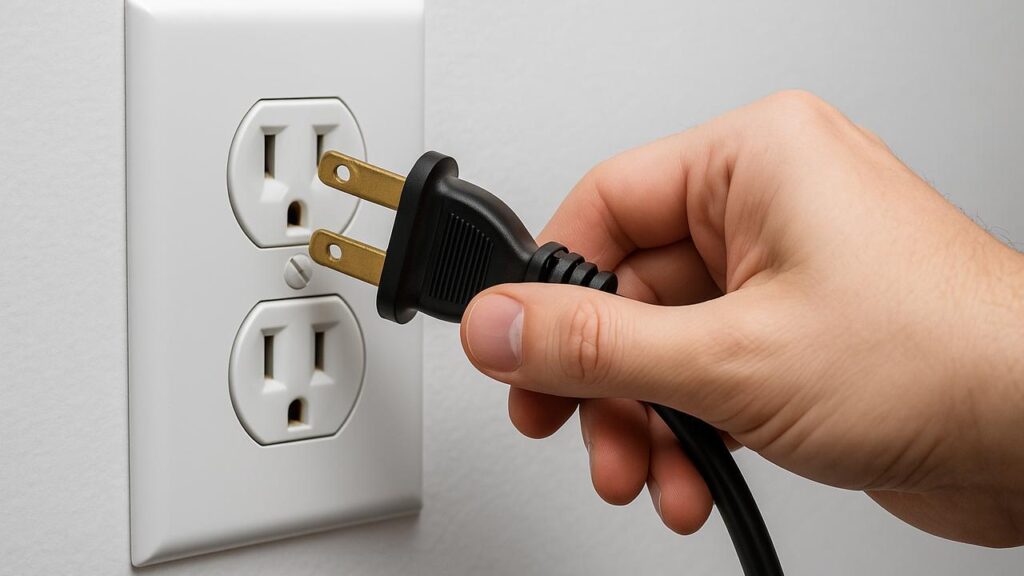
- Unplug Completely: Pull the thick refrigerator plug entirely out from the wall outlet. Do not just turn off the display.
- Wait Patiently: Leave it unplugged for a minimum of 5 to 10 minutes. (Do not just unplug it for 10 seconds. The large electrical capacitors on the main control board physically need time to drain their residual stored voltage so the computer memory wipes completely blank).
- Plug In: Plug the cord firmly back into the wall socket.
- Listen Closely: Stand near the back of the fridge. Do you hear a click followed by the deep hum of the compressor kicking on? It might take up to three minutes to start.
If this manual drain does not work and the fridge remains warm, your appliance might have actively triggered a specific software “mode” that requires a secret button code to exit.
Fix #2: Demo Mode Causing Refrigerator Not Cooling After Power Outage
This is arguably the most common “electronic” reason for this incredibly stressful problem, specifically on digital display models.
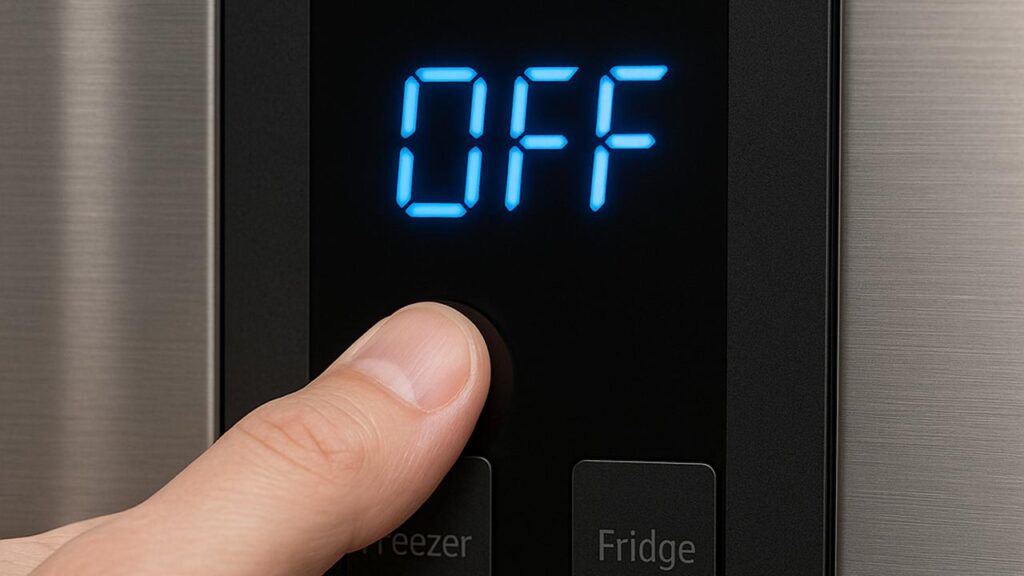
What happened? The chaotic power surge scrambled the onboard memory chip, and the fridge accidentally rebooted itself directly into “Demo Mode” (also widely known in the industry as “Cooling Off Mode” or “Showroom Mode”). In this unique setting, the interior lights work perfectly, the digital display is bright, and you can press buttons, but the sealed compressor system is intentionally disabled to save energy while sitting on a retail showroom floor.
Here is how to reset a fridge after a power outage and unlock the cooling system for the four major appliance brands:
Samsung Refrigerator Reset
- Look for: The letters “OF” (Off), “O FF,” or a scrolling line on the front digital display.
- The Fix: Press and hold the Power Freeze and Freezer buttons simultaneously for exactly 3 to 5 seconds.
- Alternative Samsung Code: Hold the Energy Saver + Lighting buttons for 5 seconds. You will hear a loud confirming chime, the display will reset to normal numbers, and the heavy compressor will start cooling within minutes.
LG Refrigerator Reset
- Look for: The letters “OF” or the word “Demo” slowly scrolling across the top panel.
- The Fix: Open the right-hand fresh food door. Press and firmly hold the Refrigerator and Ice Plus buttons at the exact same time for 5 seconds.
- Alternative LG Code: On some older or specific French door models, you must simultaneously hold Refrigerator + Ice Plus + Freezer.
GE Refrigerator Reset
- Look for: A generic “0”, “OFF”, or a flashing blank screen on the temperature display.
- The Fix: Press and hold the Refrigerator + Freezer + Crushed Ice buttons simultaneously for 3 full seconds.
- Alternative GE Code: Unplug the fridge from the wall, leave both front doors wide open, and plug it back in while the doors remain open. This triggers a factory diagnostic reset on some GE boards.
Whirlpool / KitchenAid Reset
- Look for: The words “Cooling Off” explicitly written on the digital display.
- The Fix: Press and hold the Lock + Filter buttons for 3 seconds.
- Alternative Code: Press and hold the Temp Setting (sometimes labeled “Fast Cool” or “Max Cool”) for 3 seconds until you hear a beep.
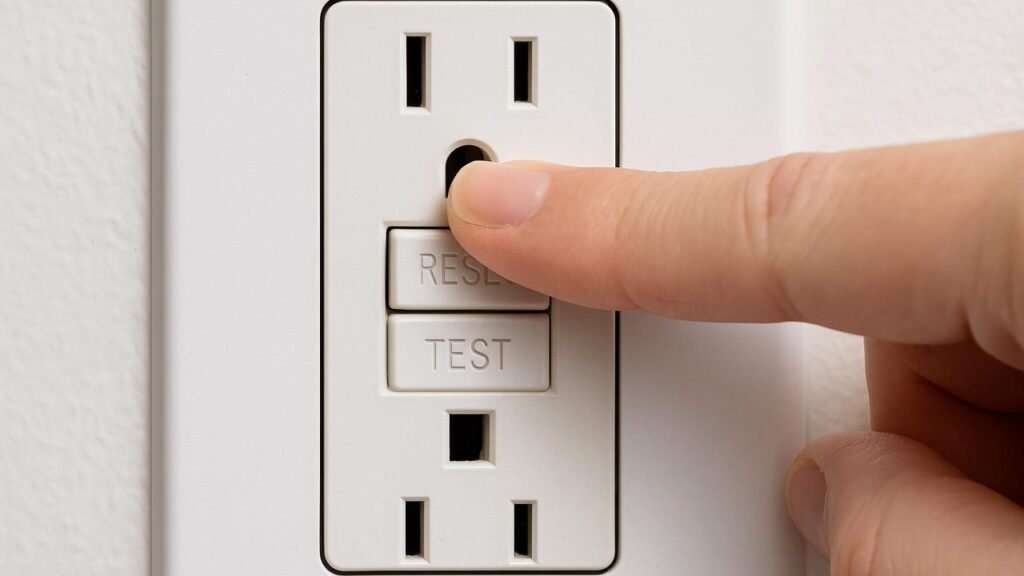
Fix #3: GFCI Outlet Issues Causing Refrigerator Not Cooling
If your fridge is completely, 100% dead (no interior lights, no humming sound, and a blank screen), the problem isn’t the fridge at all—it’s the electrical infrastructure of your kitchen. This is an incredibly frequent hidden cause of a refrigerator not cooling after power outage.
The Problem: Modern building codes often require all kitchen appliances to be plugged into GFCI (Ground Fault Circuit Interrupter) outlets. These specific outlets are designed to be extremely sensitive to sudden power surges to prevent house fires. A massive spike when the grid kicks back on can trip the delicate outlet mechanism instantly, cutting off all voltage.
The Fix:
- Locate the Reset Button: Look closely at the specific wall outlet the fridge is currently plugged into. Is there a small, rectangular “Reset” button located in the very center of the faceplate?
- Press It: If the button has popped out, press it back in firmly until you hear and feel a loud mechanical click. The fridge lights should come on instantly.
- Check the Main Breaker: If the wall outlet looks fine or isn’t a GFCI model, go immediately to your home’s main electrical breaker panel in the garage or basement. Find the switch labeled “Kitchen,” “Appliances,” or “Fridge.” Flip it fully to the OFF position, wait a second, then push it back firmly to ON. (Note: Sometimes a breaker physically trips internally but the switch doesn’t move all the way to the “off” position visually. You must cycle it manually).
Fix #4: Compressor Clicking (Hardware Failure)
If the interior lights are bright, you have already performed the hard reset and the button codes, but you suddenly hear a loud, rhythmic “Click… Buzz… Click…” noise coming from the bottom rear of the unit, you have suffered a physical hardware failure.
The Problem: A violent power surge can instantly fry the Compressor Start Relay (or its accompanying run capacitor). This small, inexpensive part is responsible for giving the massive compressor motor the massive “jump start” of amperage it requires to begin spinning. If the relay is fried, the compressor tries desperately to start, fails due to lack of power, overheats rapidly, and an overload switch clicks it off to prevent a fire.
The Diagnosis:
- Listen: The distinct “click and buzz” happens on a loop every 2 to 5 minutes.
- Touch: Carefully touch the large black tank (the compressor) at the back. It will likely be blistering hot to the touch because it is trapped in a stall state.
The Solution: You need to order and install a replacement compressor start relay.
- Unplug the fridge from the wall.
- Remove the lower back panel.
- Pull the small plastic relay housing straight off the side pins of the black compressor tank.
- Shake it. Hold it to your ear and shake. If it rattles like a maraca, the internal ceramic disc has shattered. This is a very cheap ($20) and incredibly easy DIY plug-and-play fix.
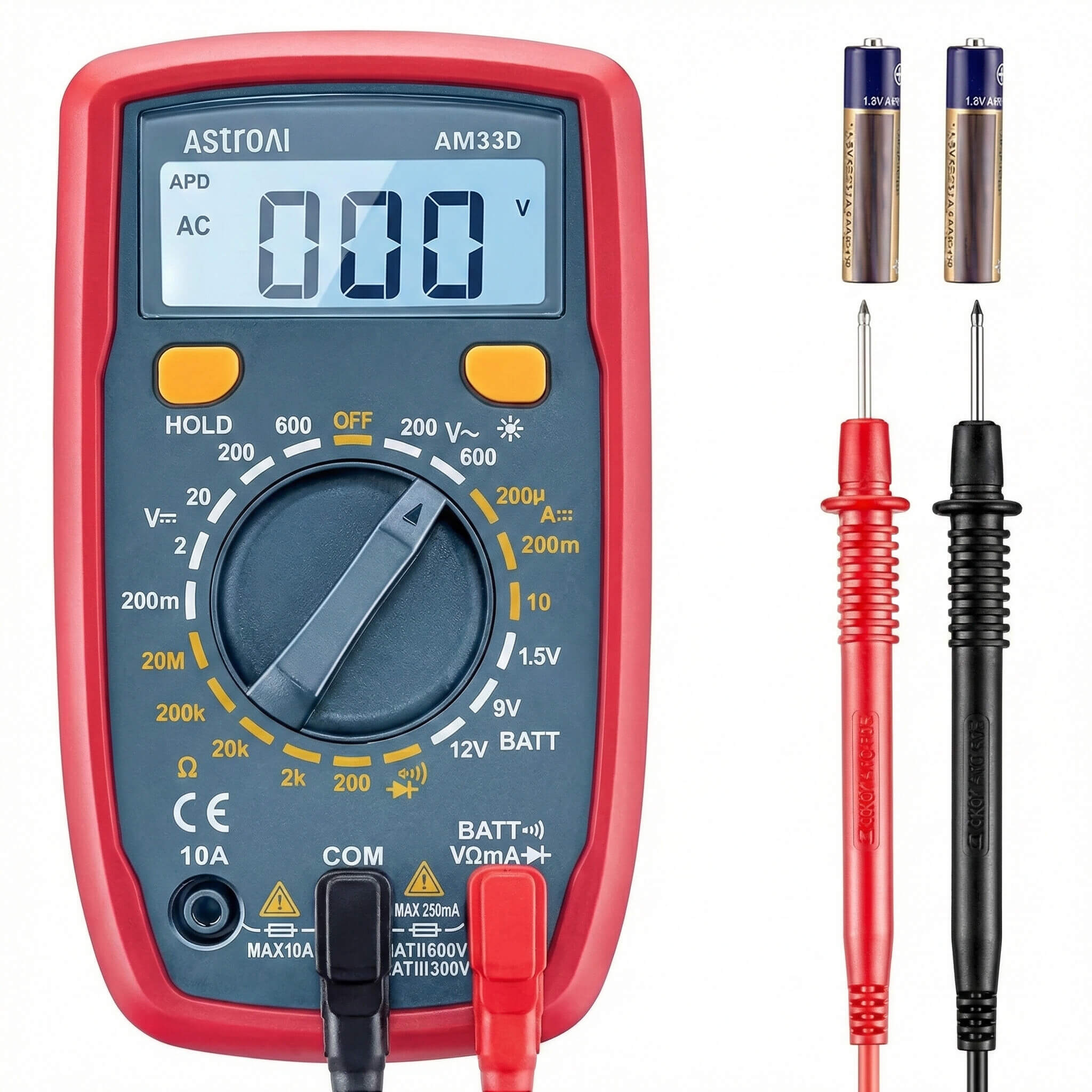
Read our full, step-by-step diagnostic guide on what to do when your refrigerator is making a clicking noise to learn how to test this relay with a multimeter.
Fix #5: Fried Main Board Causing Refrigerator Not Cooling
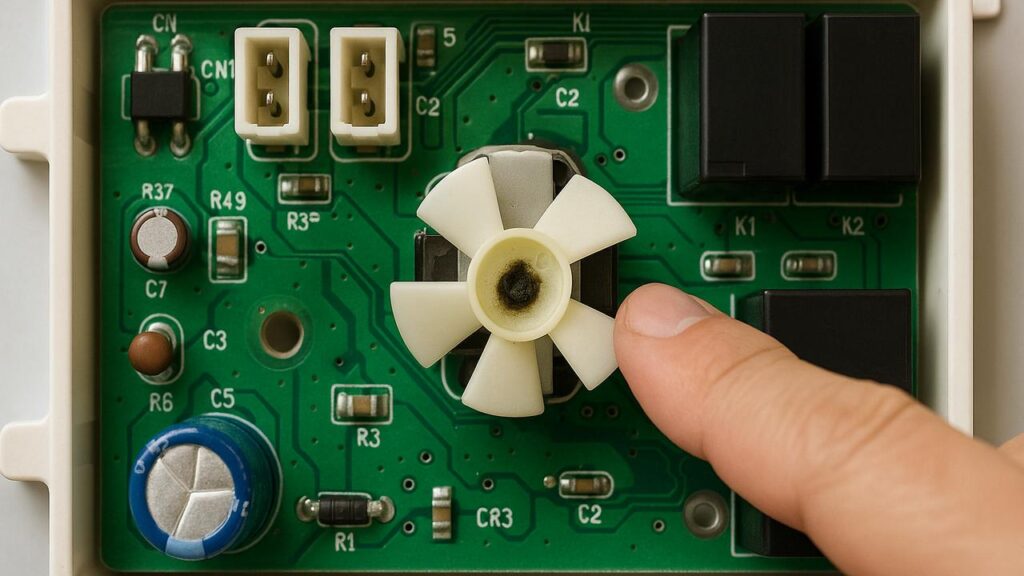
If you have methodically tried everything—the hard manual reset, the secret button codes, the GFCI outlet check, and the relay test—and the fridge is still completely silent (or the digital display is flickering wildly), the power surge unfortunately bypassed the surge protectors and likely destroyed the Main Electronic Control Board.
The Problem: The main board is the absolute brain of the operation. A high-voltage lightning strike or grid spike can instantly burn out the delicate microchips and solder traces on this board. If the brain is dead, it physically cannot tell the compressor or the fans to turn on, resulting in a permanent, unfixable refrigerator not cooling after power outage state until the board is swapped.
How to Inspect for Damage:
- Unplug the fridge entirely to prevent shock.
- Locate the Board: It is usually located on the upper back exterior wall of the fridge, hidden behind a small galvanized metal access panel.
- Smell & Look: Take the metal cover off. Do you smell the distinct odor of burnt plastic or ozone? Do you visually see any black “scorch marks,” melted solder, or bulging capacitors on the green circuit board?
- The Fix: You will need to order an exact replacement main control board using your specific refrigerator model number. This is a straightforward plug-and-play repair (just swap the wire harnesses over), but the OEM part itself can be quite expensive, usually ranging from $150 to $300.
Frequently Asked Questions (FAQ)
How long does it take a fridge to get cold after a power outage?
Is my food safe to eat after a long blackout?
Should I lower the temperature setting to make it cool down faster?
Why is my ice maker not working after the outage?
Conclusion: Don’t Panic, Just Reset
A refrigerator not cooling after power outage is highly alarming, but it is rarely a fatal, appliance-ending event. Nine times out of ten, the computer is just trapped in a software glitch, stuck in Demo Mode, or the kitchen wall outlet has tripped its breaker.
Your Quick Action Plan:
- Wait: Give the appliance 45 minutes to clear any factory compressor-protection delays.
- Reset: Unplug it completely from the wall for 10 full minutes to drain the capacitors.
- Unlock: Try the “Demo Mode” exit button combinations specific to your brand.
- Listen: Check for the rapid “click of death” from a blown compressor start relay at the rear of the unit.
By methodically following these steps, you can usually “wake up” your appliance, clear the error codes, and safely restore the cold to save your groceries without spending a dime on an expensive emergency repair call.