
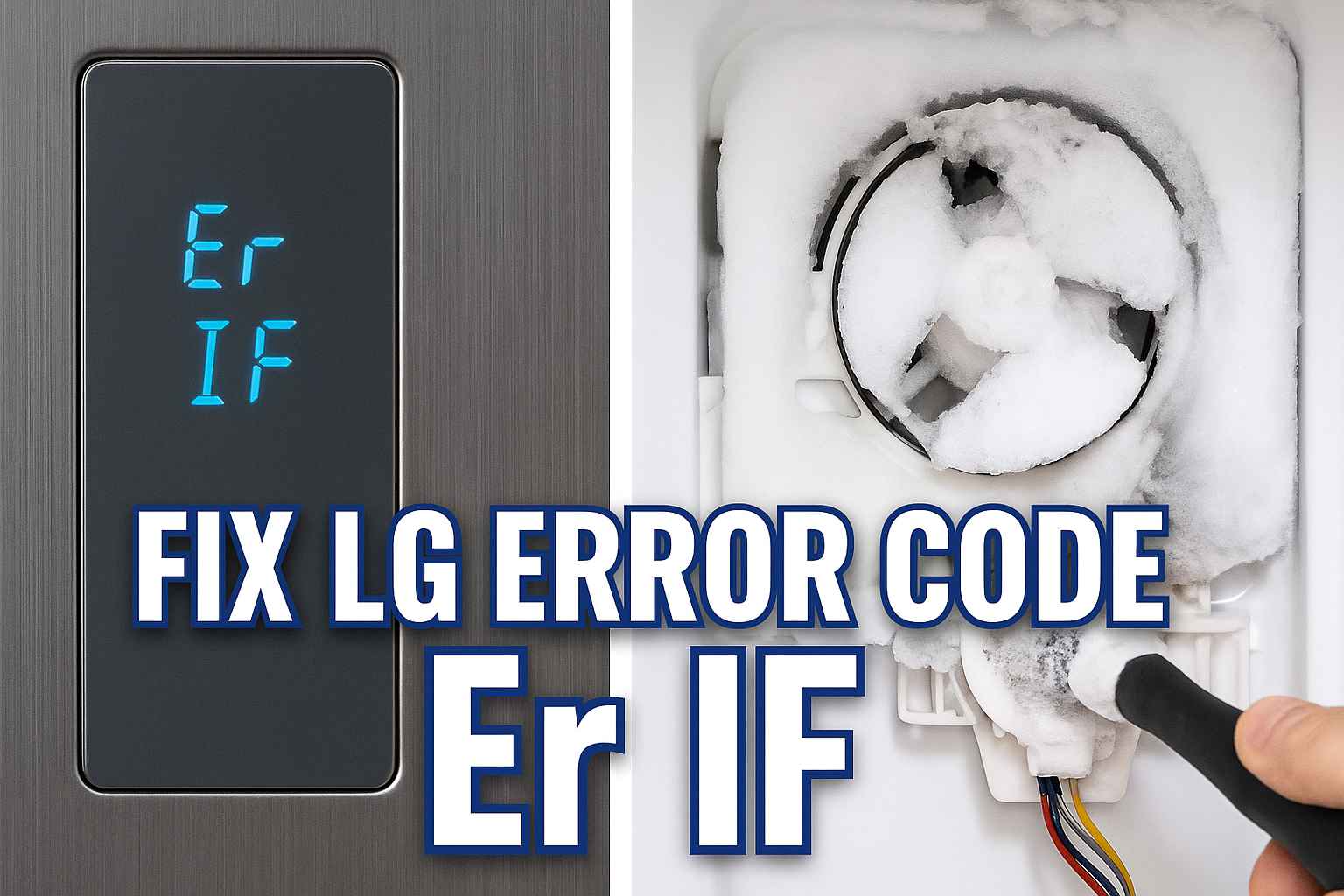
Seeing an lg refrigerator er if error code blinking on your display is stressful. You walk into your kitchen, expecting a cold drink, but instead, you see this cryptic message (or sometimes just IF) and hear a loud buzzing noise.
It looks like a major computer failure, but don’t panic.
The good news is that this is one of the most common and specific errors LG units experience. It does not mean your compressor is dead.
“Er IF” stands for “Ice Fan.”
This simply means the small fan responsible for blowing cold air onto your ice maker is not spinning. In 90% of cases, the fan isn’t broken; it is just frozen stuck.
In this guide, we will walk you through exactly how to fix an lg refrigerator er if error, from the simple manual defrost method to replacing the fan motor if necessary.
What Does the LG Refrigerator Er IF Code Mean?
To fix the problem, you need to know what is happening inside the fridge.
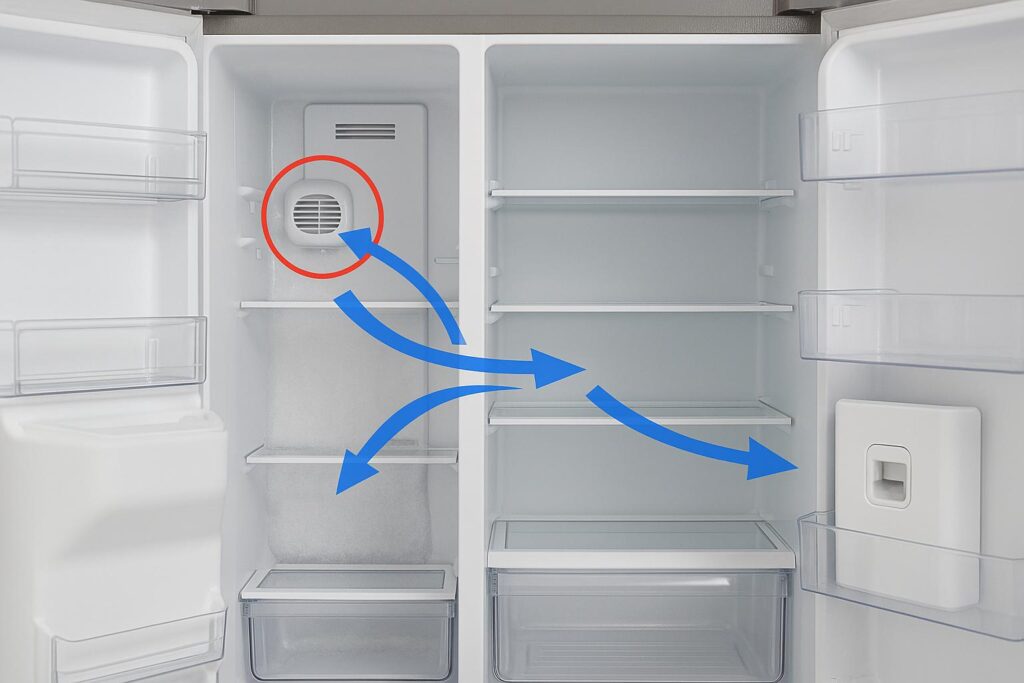
Your LG refrigerator likely has an ice maker located in the fresh food door (SpacePlus Ice System). Since the fridge section is warm (37°F), the ice maker needs a dedicated flow of freezing air to keep the ice solid.
-
The Fan: A small fan (the Ice Fan) pulls cold air from the freezer compartment.
-
The Duct: It blows this air through a duct in the wall and into the ice maker compartment in the door.
-
The Error: If the refrigerator’s main control board sends power to this fan but does not receive a signal that the fan is spinning, it triggers the lg refrigerator er if code.
This usually happens for one of two reasons:
-
Ice Buildup: Frost has accumulated around the fan blades, physically stopping them from turning.
-
Motor Failure: The fan motor itself has burned out or disconnected.

Cause #1: Ice Buildup Causing LG Refrigerator Er IF
This is the culprit in the vast majority of cases. It is an airflow and moisture issue.
The Problem: If warm, humid air enters the freezer (due to a bad door seal or leaving the door open), that moisture turns into frost. Since the Ice Fan area is one of the coldest spots, frost accumulates there quickly.
-
The Jam: Eventually, the frost becomes a solid block of ice. It surrounds the fan blades and locks them in place.
-
The Buzz: Before the code appears, you might hear a loud refrigerator buzzing noise as the blades hit the ice.
-
The Code: Once the fan is stuck, the error appears to warn you.
How to Verify: Open the left-hand refrigerator door. Look at the vents where the cold air comes from (usually on the side wall). Do you see frost or ice peeking out? If so, you have a frost jam.
Fix #1: Manual Defrost to Clear LG Refrigerator Er IF
If you have time, this is the safest way to clear the lg refrigerator er if code without using tools.
The Method:
-
Unplug the Refrigerator: Disconnect power to stop the cooling system.
-
Open the Doors: Open both the refrigerator and freezer doors to allow warm air to circulate.
-
Wait 8-24 Hours: You need to let the ambient room temperature melt the ice block deep inside the wall. Place towels on the floor to catch the dripping water.
-
Plug It Back In: Once the ice melts, the fan will be free. When you restore power, the fan should spin, and the error should disappear.
Note: While effective, this method risks spoiling your food. If you want a faster fix, use Fix #2.
Fix #2: The Steam Method (Fast Fix for Er IF Code)
If you don’t want to unload your groceries, you can target the ice directly.
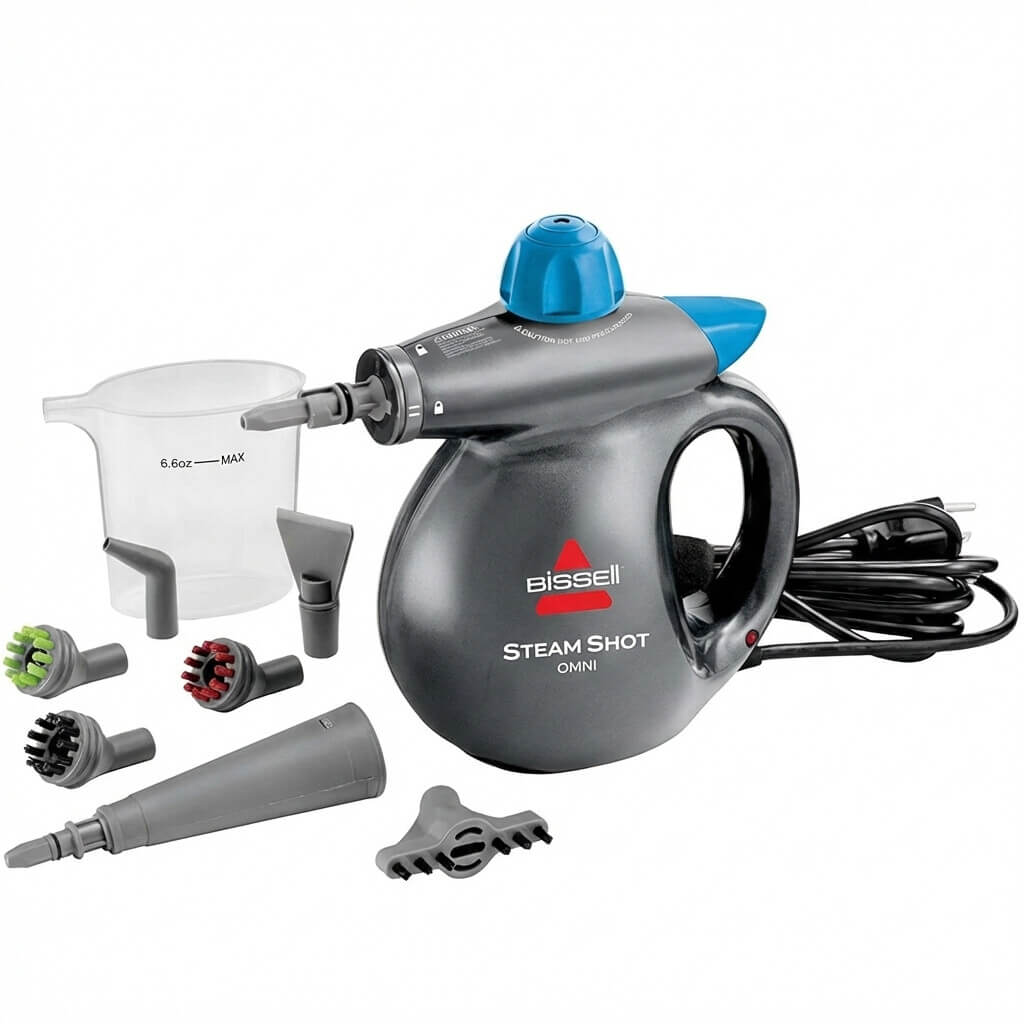
Tools Needed:
-
A handheld steamer (best option) or a hairdryer.
-
Towels.
The Steps:
-
Remove the Shelves: Clear the area inside the fridge near the ice maker vents (usually the left wall).
-
Locate the Vent: Find the square vent where the cold air blows into the door.
-
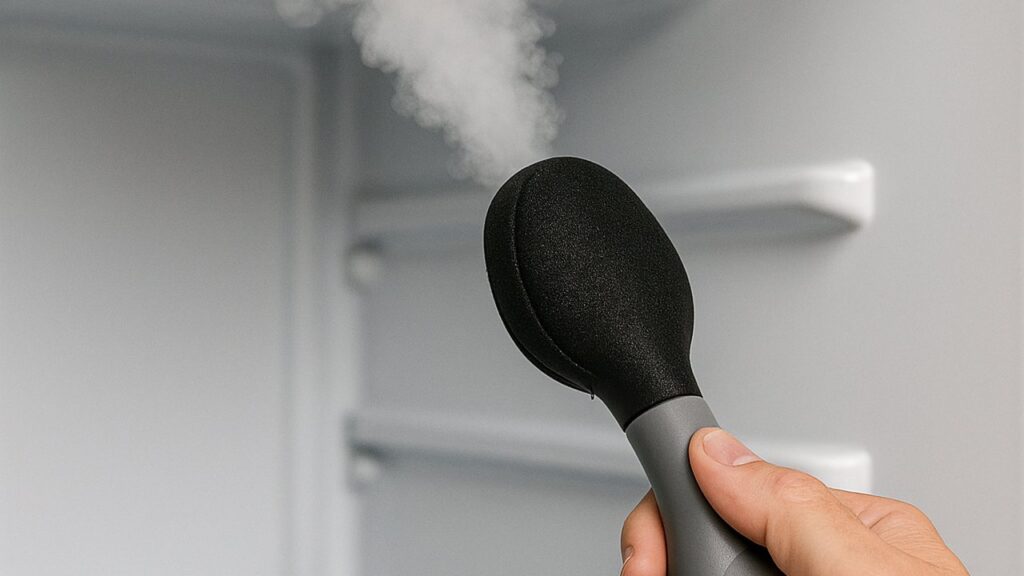
Apply Steam: Use a handheld steamer to inject warm steam into the vent. The steam will travel through the ducts and melt the ice around the fan.
-
Hairdryer Option: You can use a hairdryer on a low heat setting. Be extremely careful. Do not hold it in one spot, or you will warp the plastic liner.
-
Reset: After 10-15 minutes of steaming, unplug the fridge for 30 seconds to reset the system. If the fan spins, you are done.
Fix #2: The Steam Method (Fast Fix for Er IF Code)
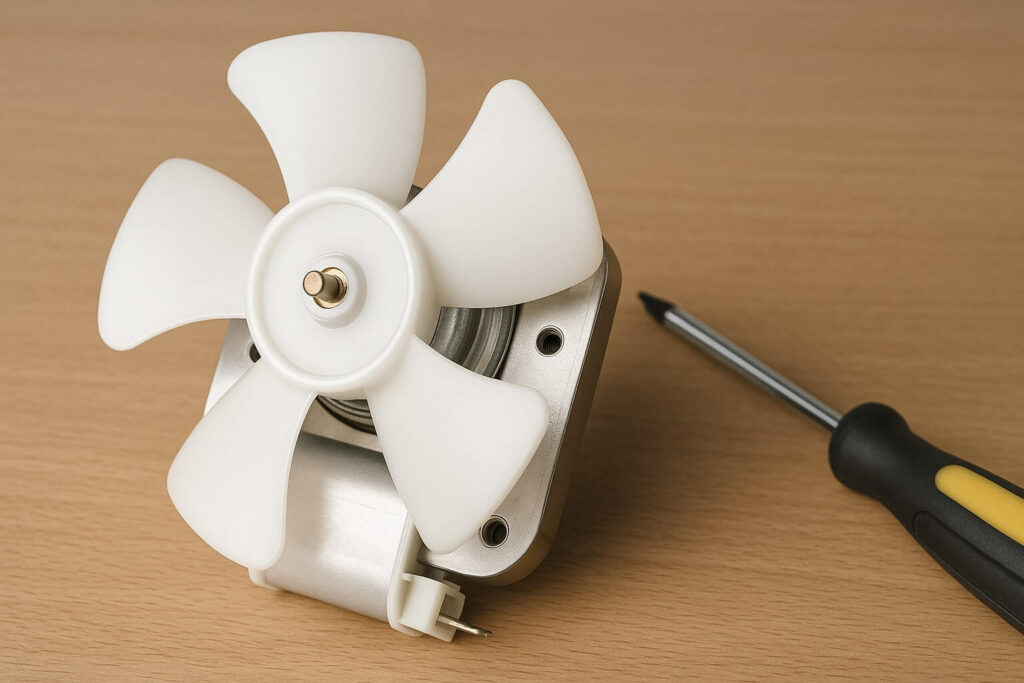
If you have defrosted the unit thoroughly but the lg refrigerator er if error returns immediately, the motor is dead.
The Problem: When a fan is stuck against ice for too long, the motor tries to push against the resistance. This can burn out the electrical windings or seize the bearings.
How to Replace the Ice Fan:
-
Unplug the unit.
-
Remove the Back Panel: On most LG models, the Ice Fan is actually located in the freezer compartment, behind the rear wall cover. You will need to remove the freezer drawers and unscrew the back panel.
-
Locate the Fan: It is usually the smaller fan located at the top left (the larger fan is the main evaporator fan).
-
Swap It: Unclip the wire harness, unscrew the fan bracket, and install a new LG ice fan motor.
-
Reassemble: Put the panel back and plug the fridge in.
Fix #4: Check the Wiring and Main Board
If the fan is new and there is no ice, you might have an electrical break.
The Problem: The wire harness that runs through the refrigerator wall or door hinge can sometimes get pinched or severed. If the wires are cut, the main board cannot “talk” to the fan.
How to Check:
-
Inspect the Door Hinge: Look at the top of the left refrigerator door. Remove the plastic hinge cover. Check the bundle of wires entering the door. Are any frayed or cut?
-
Inspect the Main Board: On the back of the fridge, remove the small metal cover to access the PCB (Printed Circuit Board). Look for burn marks or loose connections labeled “Fan.”
Prevention: Stopping the Frost Buildup
Clearing the lg refrigerator er if code is great, but stopping it from coming back is better.
1. Check the Door Gaskets The #1 cause of frost is a warm air leak. Inspect the rubber seal around the refrigerator and freezer doors. If it is torn or dirty, humid air is sucking in right near the fan. Clean the gasket or replace it.
2. Clear the Vents Ensure you aren’t blocking the airflow vents in the freezer. If air cannot circulate, it backs up and freezes around the fan. Read our guide on freezer not freezing to learn about proper airflow layout.
3. Update the Software (Smart Fridges) Some newer LG Wi-Fi-enabled fridges have a firmware update that adjusts the fan timing to prevent freezing. Check your LG ThinQ app for updates.
Frequently Asked Questions (FAQ)
-
How do I reset my LG refrigerator error code? The “Hard Reset” is the best method. Unplug the refrigerator (or flip the circuit breaker) for 5 to 10 minutes. This drains the power from the computer memory and clears temporary glitches. When you plug it back in, the code should be gone. If it returns instantly, the hardware problem persists.
-
Can I run the fridge with the Er IF code on? Yes, the fridge will still cool your food. However, the error means your ice maker will not work, and the temperature in the fresh food section might fluctuate because the airflow is compromised. You should fix it as soon as possible.
-
Why does the error code disappear and come back? This usually indicates an intermittent icing issue. The fan might be freezing, getting stuck (triggering code), melting slightly during a defrost cycle (clearing code), and then freezing again. This cycle will continue until you do a full 24-hour manual defrost.
-
How much does a new LG ice fan motor cost? The part itself is relatively cheap, usually between $40 and $80. If you hire a professional technician, the total cost with labor will likely be between $200 and $350.
Conclusion: Unfreeze Your Fan
An lg refrigerator er if error is not a death sentence for your appliance. It is simply a notification that the ice fan is jammed.
Your Action Plan:
-
Listen: Is there a buzzing sound? (Ice).
-
Thaw: Use a steamer or manual defrost to melt the blockage.
-
Reset: Unplug the unit to clear the code.
-
Replace: If the fan stays dead, swap the motor.
By following these steps, you can clear the code, restore your ice production, and save yourself an expensive repair bill.